Before the amp
Clean up noise with the gate, shape the attack with an 1176-style compressor, and push the amp with a Clean Boost, 808 Drive, or NAM pedal capture. Use the pre EQ to shape what hits the amp.
 NAMplified
Build a complete guitar rig in your DAW or play standalone. Blend two NAM amps, shape your tone with cab IRs, pedals and effects, and compare rigs at matched levels.
Free and open source · Plug-in and standalone
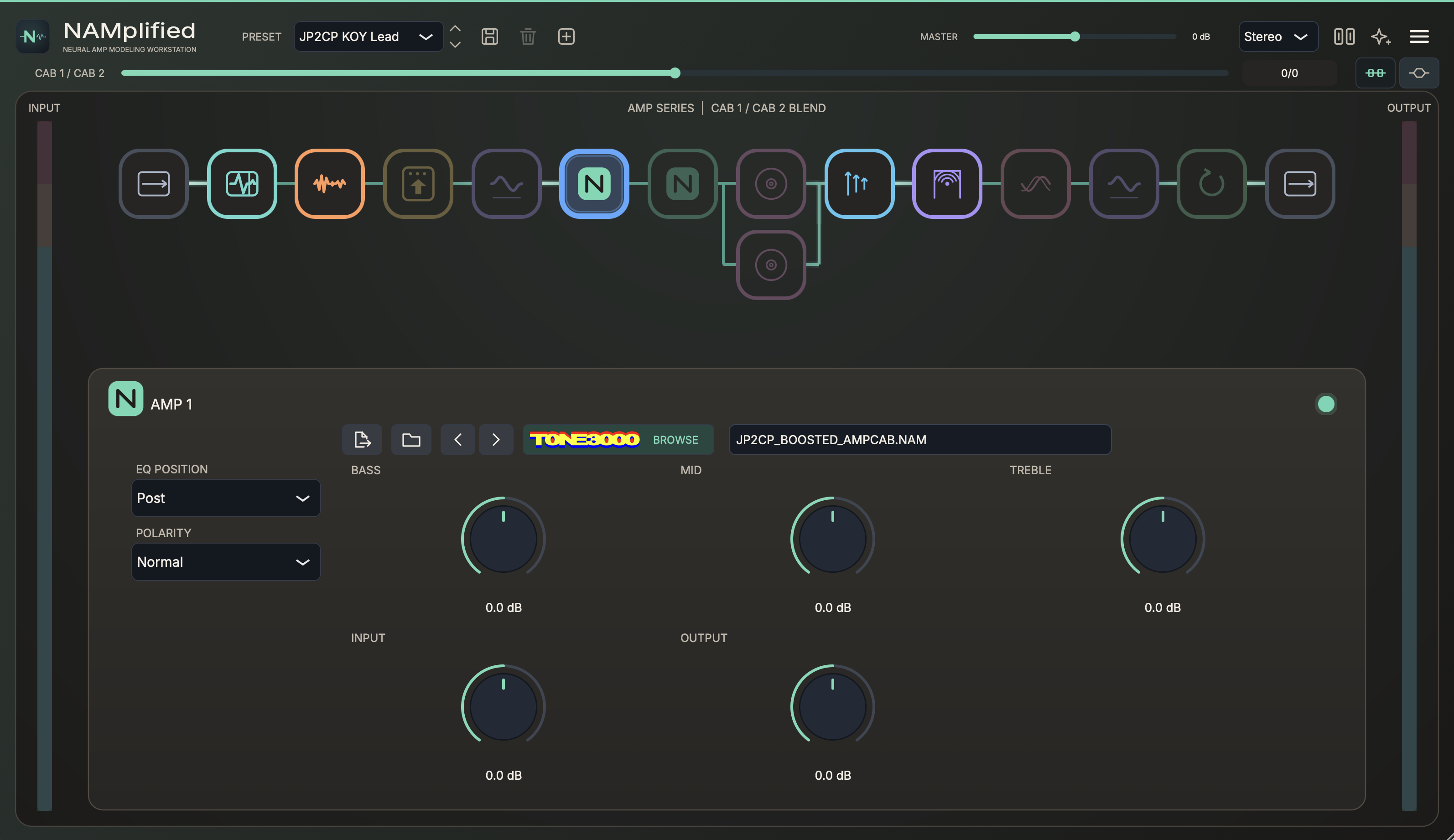

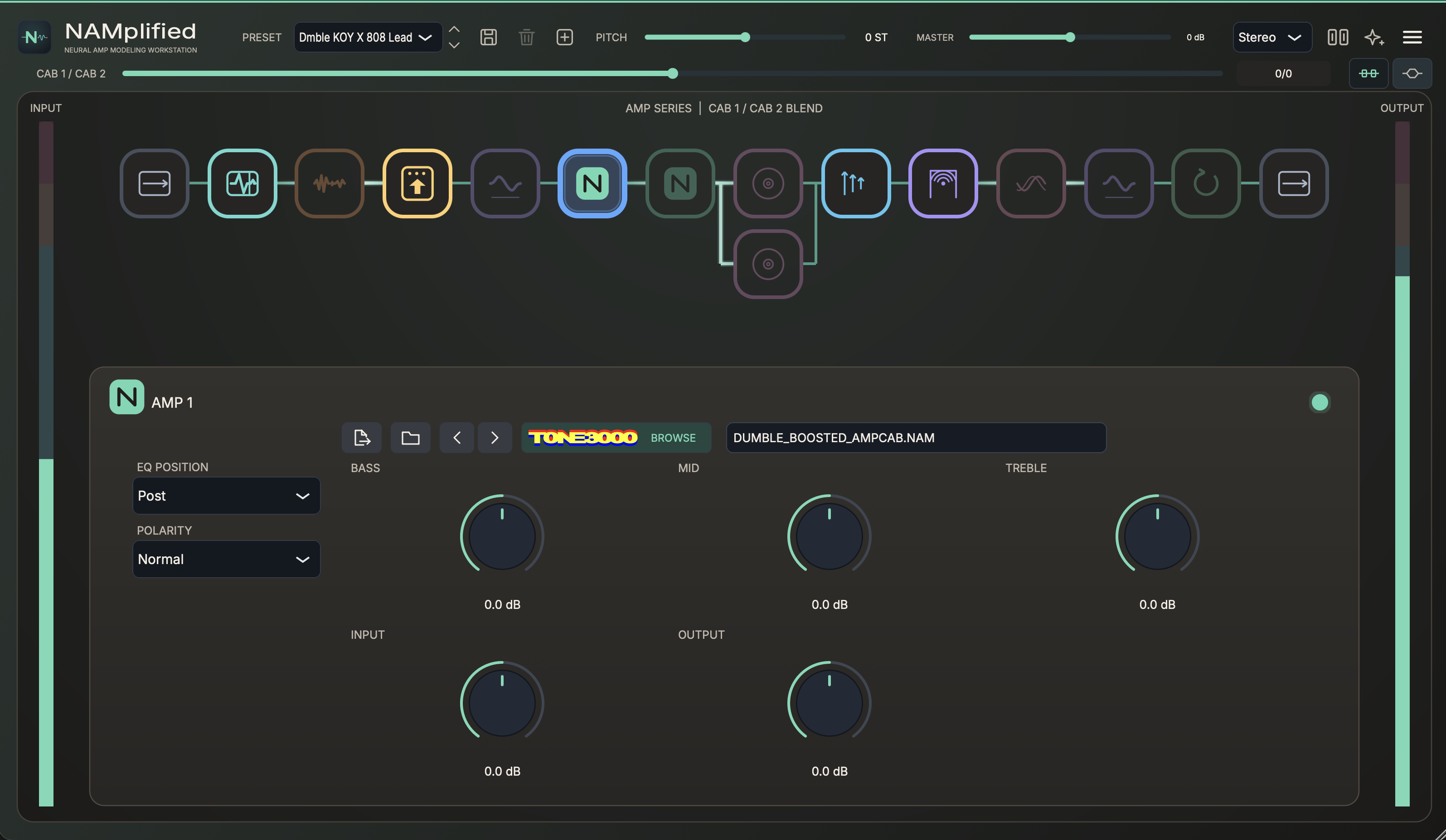
Load a NAM pedal capture in the Boost block before Amp 1 and Amp 2. Try a captured overdrive with either amp on its own or with both amps together.
Freq Split. With both amps active in Parallel, set the crossover frequency to send low frequencies to Amp 1 and high frequencies to Amp 2.
Gate, compression, and boost before the amps. Airwindows TakeCare chorus, delay, and reverb after the cabs.
Run the amps in series, then blend two cabinet IRs.

Pair each amp with its own cabinet IR.
Blend both amps through one shared cabinet IR.

Open a folder of NAM captures once. Then use Previous and Next in either amp slot to hear the neighboring capture with a single click, without reopening a file picker.
Keep one amp in place while you audition captures in the other. Your routing, cabinet IRs, and effects stay in the chain so you can hear each capture in context.
For a level-matched A/B with the same riff, try Rig Shootout.

Powered by TONE3000. Browse community guitar captures from the amp editor and load your chosen capture into the rig.
NAMplified is an independent project and is not affiliated with or endorsed by TONE3000.
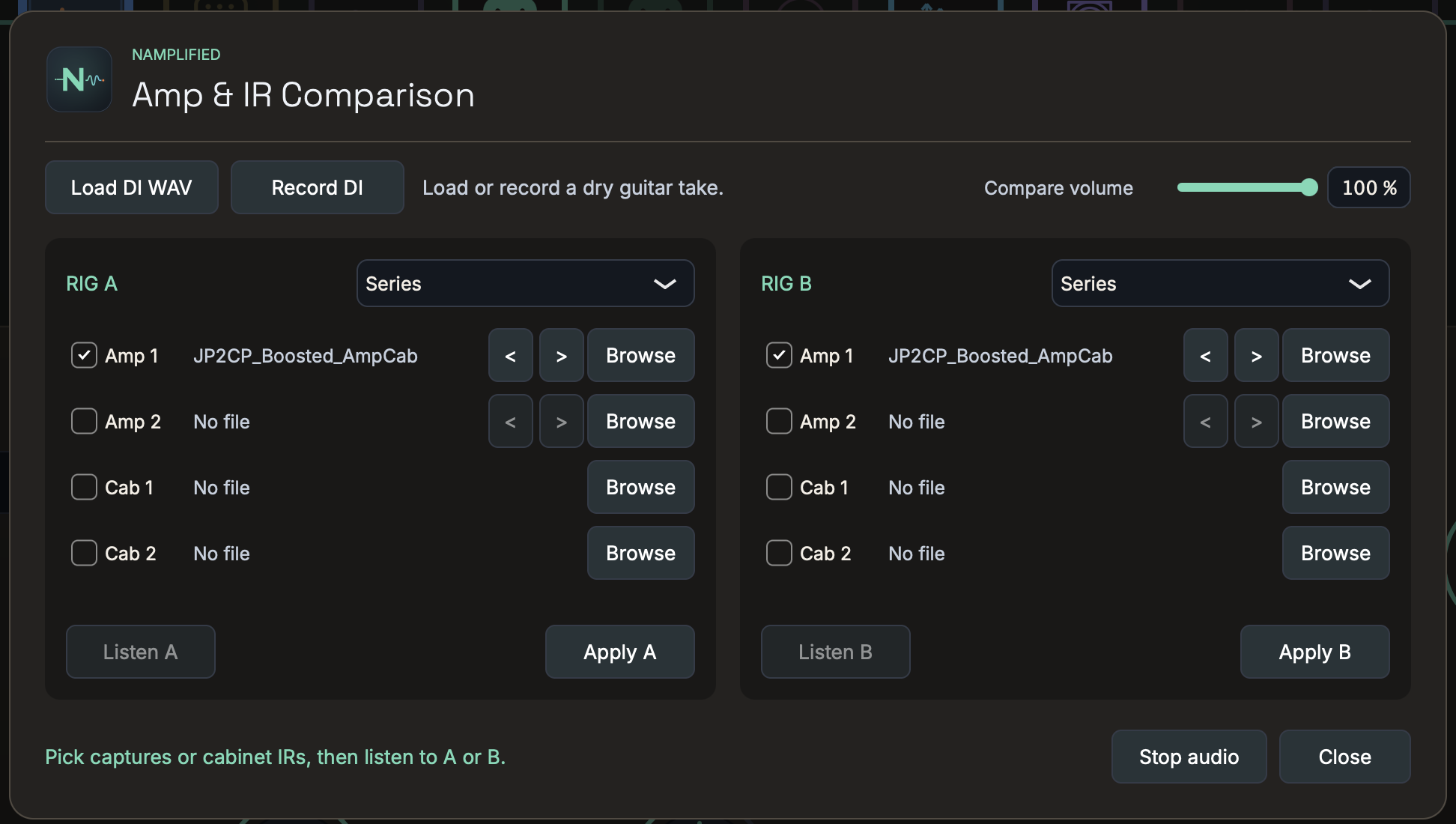
Play the riff once. Hear it through two amp and cab setups at matched levels.
Open Amp & IR Comparison next to Preset Builder, then record a dry take or load a DI WAV. Each rig can use up to two NAM captures and two cabinet IRs in series or parallel. Swap captures with Previous and Next while the riff loops.
Switch between Listen A and Listen B, set a shared playback level with Compare volume, then apply the winner to your current chain.
Load up to two cabinet impulse responses to shape the sound of your amps.
Supported files
WAV, AIFF, FLAC, and OGG
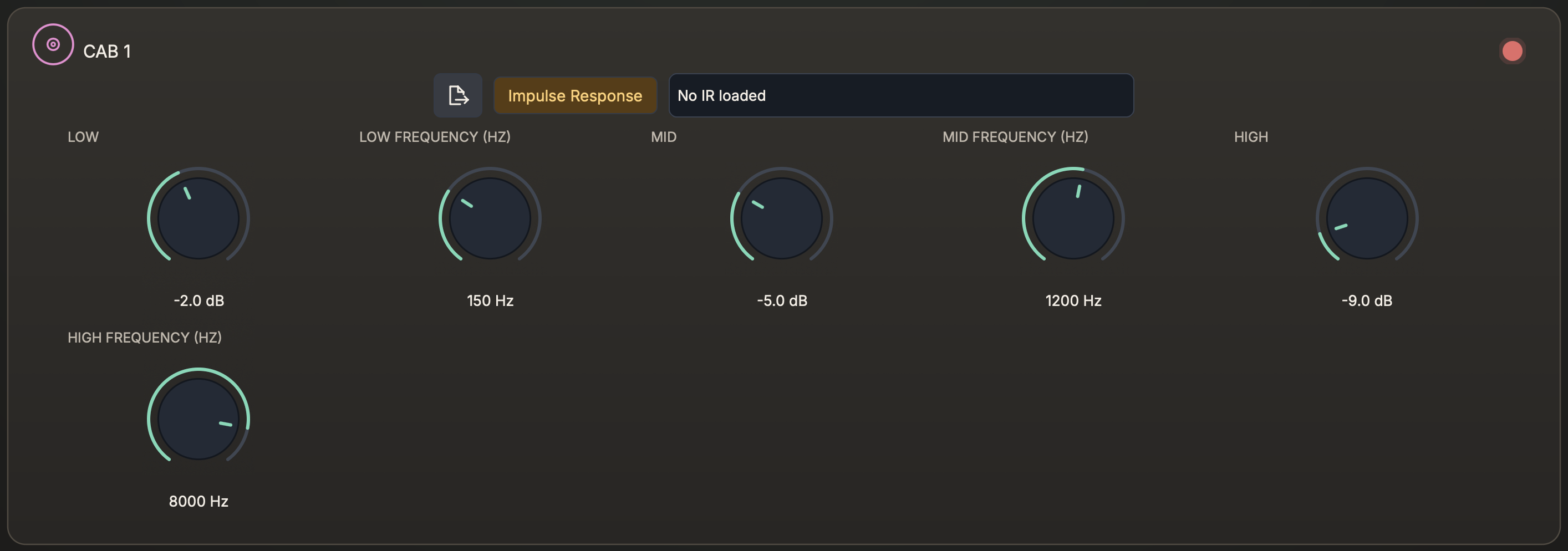
Tighten the signal before the amp or add space and movement after the cab.
Clean up noise with the gate, shape the attack with an 1176-style compressor, and push the amp with a Clean Boost, 808 Drive, or NAM pedal capture. Use the pre EQ to shape what hits the amp.
Add digital or analog delay, stereo chorus, and Room, Plate, Cloud, or IR reverb. Use the post EQ to shape the finished tone.
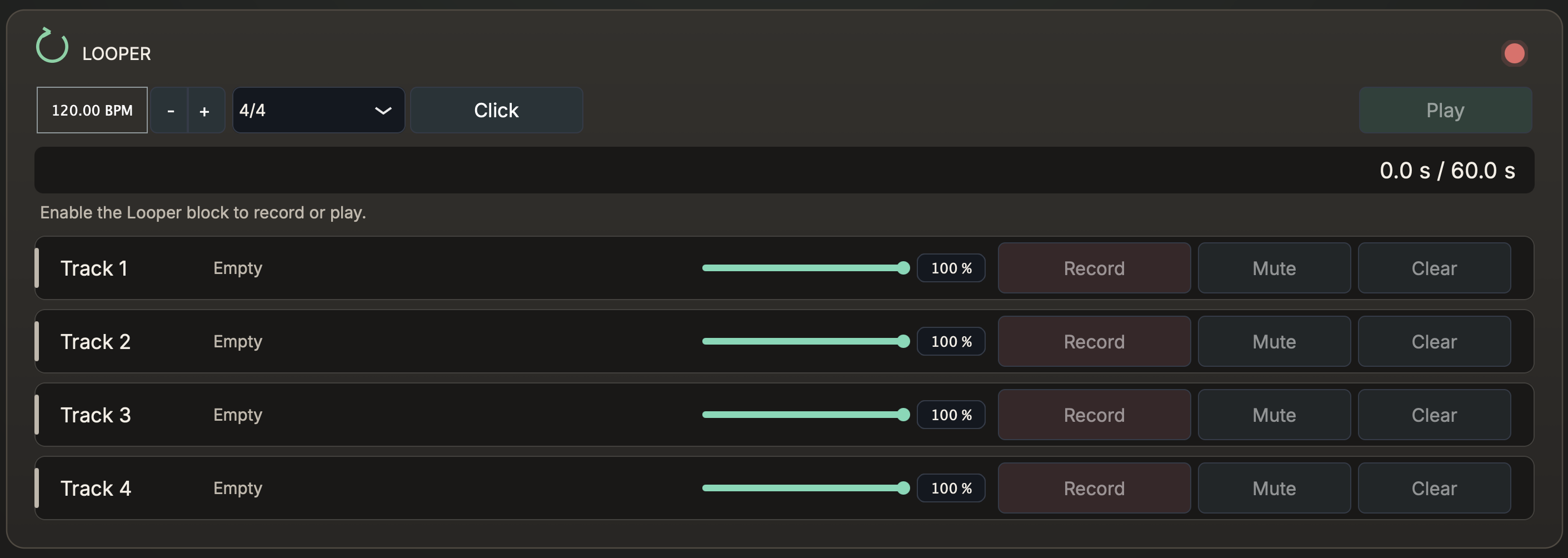
Record a rhythm part, switch captures, then add a lead or harmony over the same loop.
Record loops up to 60 seconds with a visual count-in, optional metronome, selectable time signatures, and bar-aligned recording. Adjust level, mute, or clear each track independently.
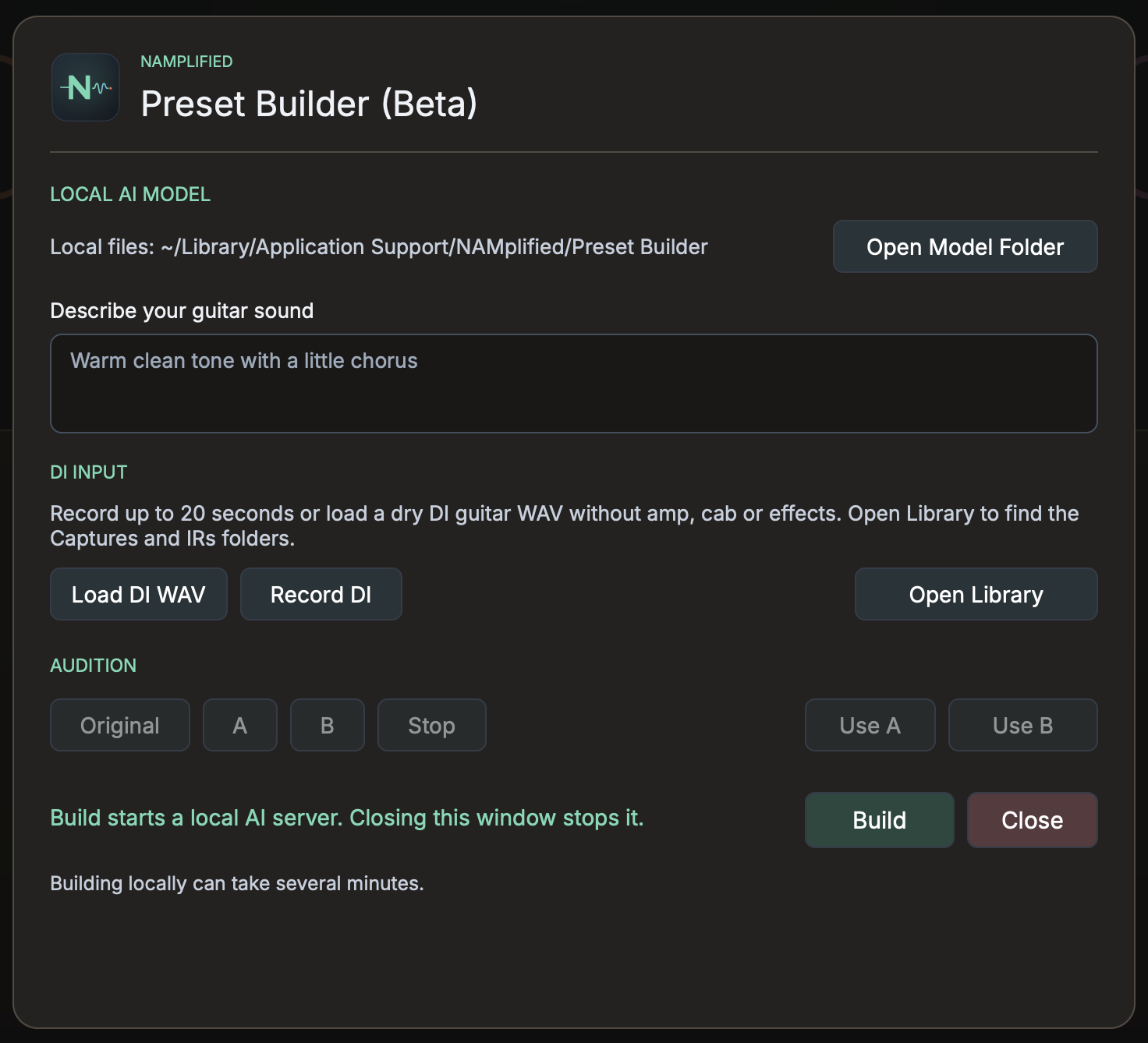
“Warm clean tone with a little chorus.”
After the initial setup, Preset Builder runs locally on your Mac.